
By: BHTechHub Date: January 23, 2026
For a decade, Windows 10 was the faithful workhorse of the PC world, but the landscape has changed. With Microsoft officially ending support, the Windows 11 upgrade is no longer just an option for new features—it is a critical step for your digital security. As we settle into 2026, we have to face a hard reality: Windows 10 is officially dead.
With Microsoft ending official support back in October 2025, clinging to this aging operating system isn’t just “sticking with what you know”—it is now an active security risk.
If you are still holding out, here is why the transition to Windows 11 isn’t just important—it’s urgent.
Table of Contents
1. The Safety Net is Gone (Security Risks)
The most critical reason to upgrade is simple: Security.
As of late 2025, Microsoft stopped providing free security updates for Windows 10. This means if a new hacker exploit or virus is discovered tomorrow, Windows 10 users will be left wide open.
- Zero-Day Vulnerabilities: Without monthly patches, your PC is a sitting duck for ransomware and malware.
- Banking & Privacy: Using an unsupported OS for online banking or handling sensitive data is digital Russian roulette.
- TPM 2.0 Standard: Windows 11 requires a Trusted Platform Module (TPM) 2.0 chip. This isn’t just red tape; it creates a hardware-level barrier against attacks that try to steal your passwords and encryption keys. Windows 10 simply cannot match this architecture.
2. Speed and Efficiency: The Performance Benefits of a Windows 11 Upgrade
Windows 11 isn’t just a pretty skin; the engine has been rebuilt. Even on the same hardware, Windows 11 often outperforms its predecessor.
- Better Memory Management: Windows 11 prioritizes the apps you are actually using (foreground) over background noise. This means your browser feels snappier even under load.
- Instant Wake: The “Instant On” experience has been optimized, bringing your PC out of sleep mode significantly faster than Windows 10.
- Smaller Updates: Microsoft overhauled how updates are delivered. They are now roughly 40% smaller and install in the background more efficiently, so you spend less time staring at a “Do not turn off your computer” screen.
3. The Verdict: Why the Windows 11 Upgrade Is Essential
If you game on PC, Windows 10 is holding your graphics card hostage. Windows 11 unlocks features that consoles like the Xbox Series X utilize:
- Auto HDR: Automatically upgrades the lighting and color of older games (DirectX 11/12) without developers needing to do a thing.
- DirectStorage: This technology allows your GPU to load game data directly from your NVMe SSD, bypassing the CPU. The result? Lightning-fast load times and massive open worlds that render instantly.
If you are preparing your rig for upcoming titles, check out our guide on optimizing your PC for GTA 6.
4. Productivity Reimagined
The way we work has changed, and Windows 11 was built for the hybrid, multitasking era.
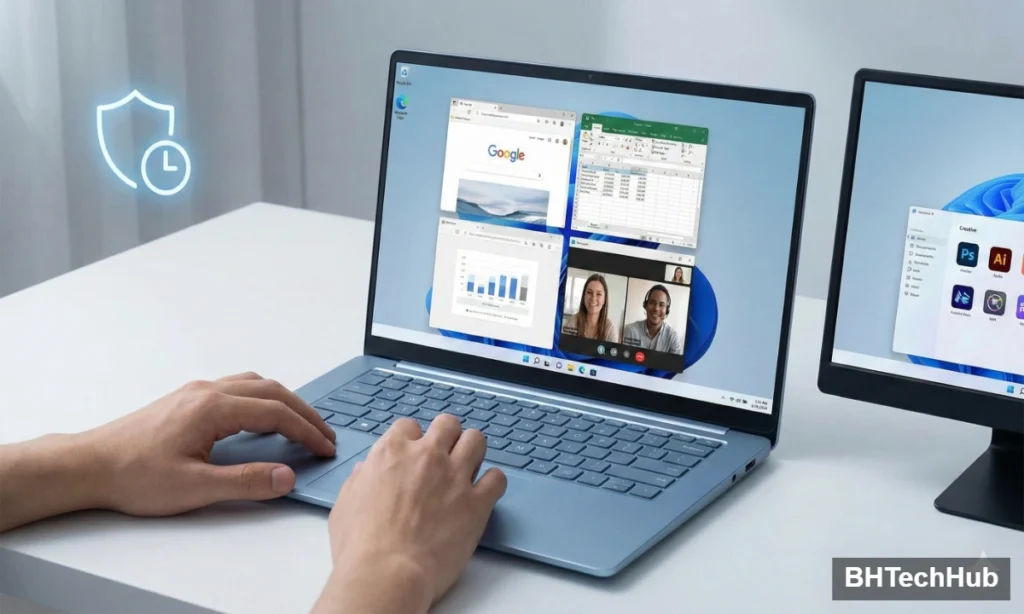
- Snap Layouts: Gone are the days of struggling to resize windows. Hover over the “maximize” button, and you can instantly snap windows into perfect grids (thirds, quarters, side-by-side).
- Multiple Desktops: It is now easier than ever to have a “Work” desktop and a “Gaming” desktop with different wallpapers and app shortcuts, keeping your mental space organized.
- Docking Memory: If you use a laptop with an external monitor, Windows 11 remembers exactly where your windows were when you unplug and plug back in. No more rearranging your apps every morning.
5. Software Compatibility is Shifting
Software developers follow the user base and the support lifecycle. Now that Windows 10 is End-of-Life (EOL), you will see a domino effect:
- Driver Support: GPU and peripheral manufacturers (Nvidia, AMD, Logitech) will eventually stop optimizing drivers for Windows 10.
- New Apps: The latest creative tools, productivity suites, and games will increasingly list “Windows 11” as the minimum requirement to run.
The Verdict: Don’t Get Left Behind
Nostalgia is powerful, but in technology, it is a liability. Windows 10 had a fantastic run, but staying on it now is like driving a car with no airbags and no insurance.
Windows 11 offers a sleeker interface, ironclad security, and the performance boost your modern hardware deserves.
Is your PC ready? Most PCs bought in the last 4-5 years are fully compatible. Go to Settings > Windows Update to check if your upgrade is ready waiting for you. If your hardware is too old to support Windows 11, it might finally be time to treat yourself to a new machine—because your digital safety is worth the investment.
Pingback: Best GameLoop Settings for PUBG Mobile (2026): Fix Lag & Unlock 90 FPS
Comments are closed.